Netflix is probably already part of your daily routine.
Anúncios
But do you really know everything it has to offer?
You open the app planning to watch a movie. Ten minutes later, you’re still deciding what to watch.
Anúncios
The good news is that Netflix offers hidden features and new tools that make the experience even better.
Little Known Features that Improve your Experience
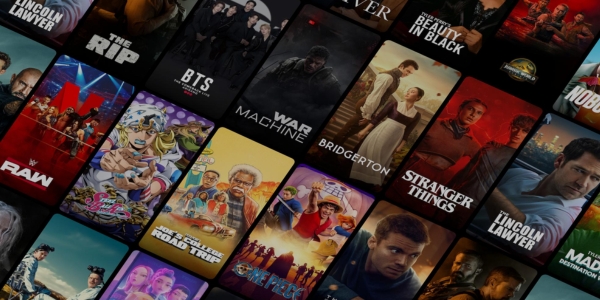
Netflix offers much more than a catalog full of movies and TV shows.
There are features that go unnoticed by many users but make the app much more convenient.
Some of the main ones include:
- My List: Save movies and TV shows to watch later. Your list stays synced across all your devices.
- Like and Love It: These ratings help the app understand your preferences and provide more accurate recommendations.
- Smart Downloads: Finished an episode? The app can automatically delete the one you’ve already watched and download the next episode.
- Downloads for You: Netflix automatically downloads content that matches your profile so you can watch it offline.
- Reminders: Turn on notifications to know when that highly anticipated release finally arrives in the catalog.
- Continue Watching: Pick up exactly where you left off, whether you’re watching on your TV, phone, or tablet.
- Top 10: Discover the most watched movies and TV shows in your country every day.
How to Download Movies and TV Shows to Watch Offline
You can’t always count on having a reliable internet connection.
If you’re traveling or want to save mobile data, downloading content is an excellent option.
How to Download Content
- Open the Netflix app.
- Choose a compatible movie or episode.
- Tap the Download button.
- Wait for the download to finish.
After that, the content will be available in the Downloads tab, even without an internet connection.
In addition to standard downloads, Netflix offers several smart features:
- Smart Downloads: Removes episodes you’ve already watched and automatically downloads the next one.
- Downloads for You: Downloads movies and TV shows based on your viewing history and preferences.
Before using this feature, keep a few things in mind:
- Not every title is available for download.
- Downloaded files have expiration dates.
Some titles require an internet connection to renew the viewing license after a certain period.
With these features, it’s much easier to enjoy your favorite content anywhere.
Personalize Netflix Recommendations to Match your Style
Have you ever noticed that two people using the same account can receive completely different recommendations?
That’s because Netflix uses artificial intelligence to understand each user’s viewing habits.
The more you use the app, the better the recommendations usually become.
Some habits make a big difference:
- Rate movies and TV shows using Like and Love It.
- Create an individual profile for each member of your household.
- Watch the genres you genuinely enjoy.
- Remove titles from your viewing history that don’t reflect your preferences.
- Use Search to find specific genres, actors, and directors.
Profiles and Parental Controls: Safety for the Whole Family
If multiple people use the same account, creating separate profiles makes a huge difference.
Each profile has its own viewing history, recommendations, My List, and independent watch progress.
For families with children, Netflix also provides parental control features.
| Feature | How It Helps |
|---|---|
| Kids Profile | Displays content appropriate for children. |
| Content Ratings | Limits access based on the selected age rating. |
| Title Restrictions | Prevents specific movies and TV shows from appearing in a profile. |
| Profile PIN | Prevents settings changes and protects profiles. |
These options make the platform safer for the entire family while allowing each person to enjoy a personalized experience.
Shortcuts and Tricks to Navigate the App Faster
Sometimes finding a good movie takes longer than actually watching it.
Fortunately, a few shortcuts help you get to the content you want much faster.
Try these tips:
- Use Search to look for actors, directors, genres, or titles.
- Save movies and TV shows to My List.
- Use the Continue Watching section to resume exactly where you left off.
- Check the Top 10 to see what’s currently trending.
- On your TV, use the Back button to quickly return to the main menu.
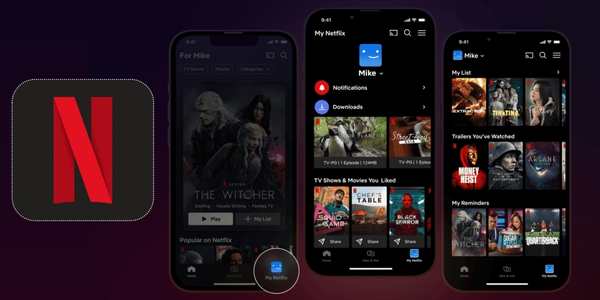
- Explore the My Netflix section, where your favorites, reminders, and viewing history are all gathered in one place.
They’re small details, but they make browsing much faster and easier.
Settings Tips to Improve Streaming Quality
There’s nothing worse than getting your popcorn ready only to discover the picture has suddenly become blurry.
But don’t worry! A few adjustments can improve your streaming quality on Netflix.
| Setting | Approximate Data Usage |
|---|---|
| Low | Up to 0.3 GB/hour |
| Medium | Up to 0.7 GB/hour |
| High | Up to 1 GB/hour (SD), 3 GB/hour (HD), and 7 GB/hour (4K) |
Besides adjusting your data usage settings, it’s also worth following these recommendations:
- Use a Wi-Fi connection whenever possible.
- Keep the app updated.
- Use devices compatible with HD, Full HD, 4K, and HDR.
- Choose a subscription plan that supports your desired resolution.
What’s New in the Latest Netflix Updates
Netflix is constantly evolving and introducing new features to make life easier for its users.
If you haven’t opened the app in a while, you may already notice a different interface.
Some of the latest updates include:
- A redesigned interface for phones and tablets, featuring simpler navigation.
- A vertical feed with short videos to help you discover new content quickly.
- My Netflix, bringing together favorites, reminders, and Continue Watching content.
- A new TV interface, with menus organized across the top of the screen.
- Smarter recommendations that improve as you interact with trailers, ratings, and titles.
These updates make the platform faster, more organized, and more personalized.
After all, the less time you spend searching for something to watch, the more time you have to enjoy the movie!
Now All that’s Left is to Press Play
With a few adjustments and some little known features, your Netflix experience can become even better.
You can discover new content more easily, watch offline, and receive more accurate recommendations.
Now it’s time to explore these features and find out which ones best match the way you like to watch.
Many of these tools go unnoticed, but they make a big difference in everyday use.
So grab your popcorn, press play, and enjoy everything Netflix has to offer!